

News about IrriPro 3.9
The new IrriPro 3.9 comes with two important new features: one on the pad and the other on the database: from now on, the user can add their own elements.

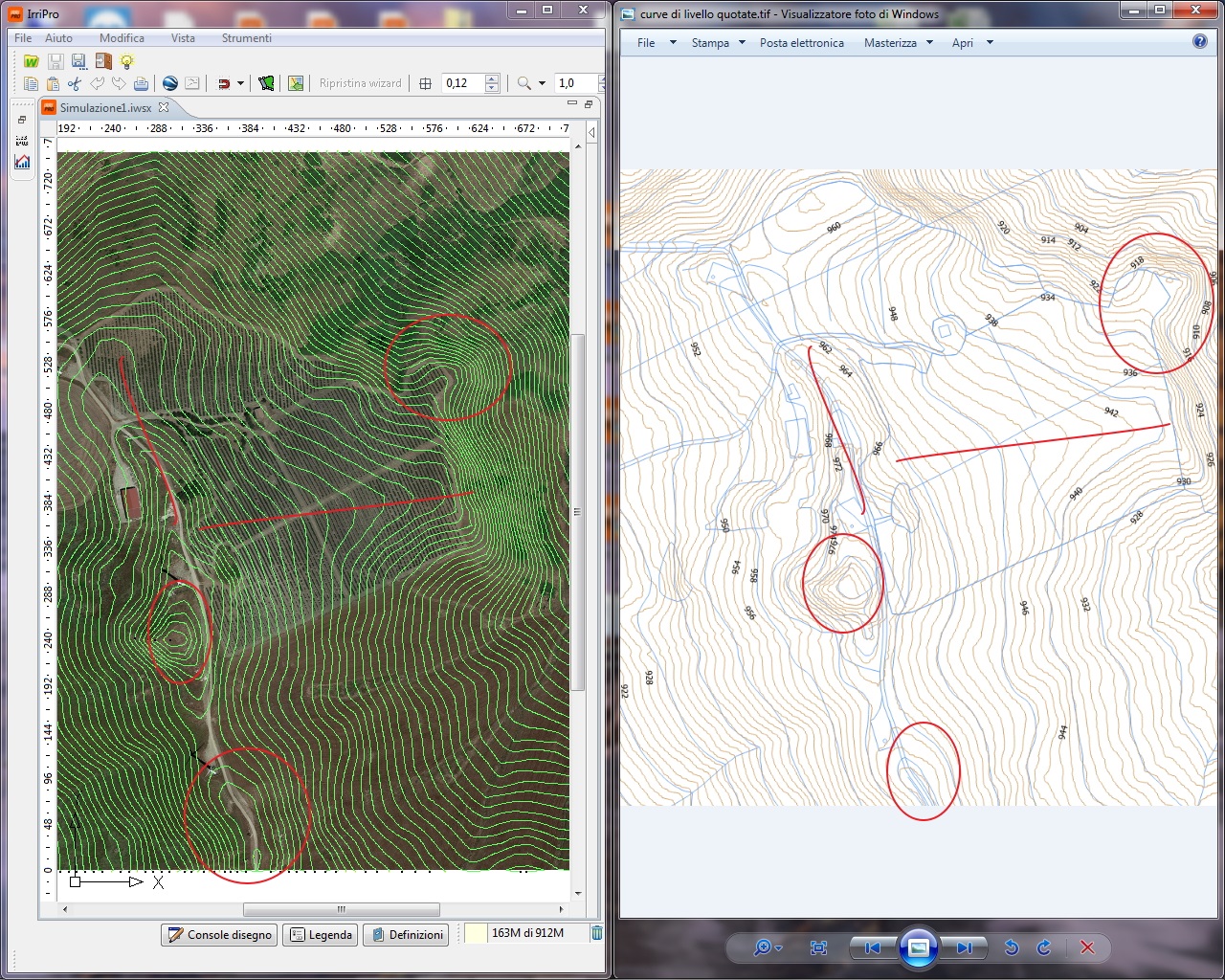
Thanks to a new interpolation and elevation processing algorithm, the embedded feature of the built-in Google Maps plug-in is now faster in processing, more accurate in 3D modeling and far better in rendering. Once the survey has been made, the level curves will be displayed and, compared to the previous version, will cover the whole area and be placed with a fixed distance of 2 meters. In the figure, the comparison between the survey made with the new version 3.9 and a reference survey in scale 1:2000.
As can be seen, from the position and shape of the contour lines, the two representations are virtually superimposable.
Another great feature required by many users is the ability to manually add new items to the database. Through a window dedicated to each type of element, it is now possible to import new fittings, new emitters, new pipes, and so on. They are also introduced new types of IrriPro database elements, such as the category of pumps or accessories and control units, which have so far been missing. Below are some screenshots showing how to introduce, manage, and delete items in the database.

1. In the first window, the opening of IrriPro, choose ``insert elements in the database,`` and then the typology

2. A window will open (different for each item type) where you can compile and import new products

3. Once a product is inserted it can be, through the normal DB search window, consulted, assigned to the project or deleted from the database.
With this version IrriPro database is updated with the following catalogs:





Along with new control mechanisms and a new window of settings, 3D rendering of hydraulic quantities has now been improved and accelerated.